
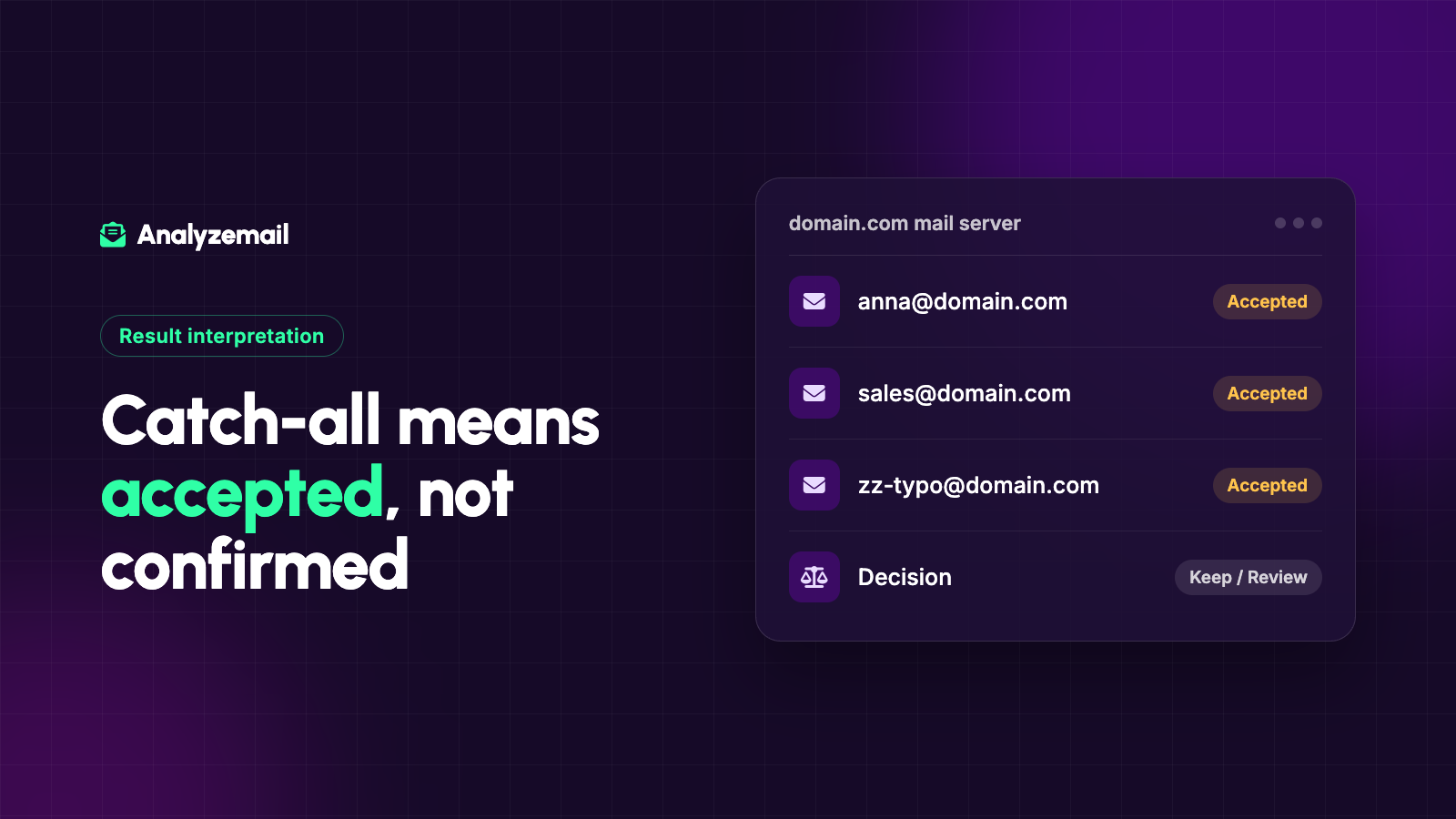
You upload a contact list for verification and a substantial group comes back as catch-all. The addresses look normal, the companies exist, and some of the contacts are important customers.
Should you delete them? Send to all of them? Run the same list through another checker until the labels change?
Start by understanding what the result actually says. A catch-all finding describes the receiving domain's behavior. It does not establish that every address at that domain is a real, active mailbox.
The practical answer is to preserve the uncertainty and combine it with the information you already have about the contact. That leads to better decisions than treating the entire category as either safe or worthless.
What is a catch-all email address?
A catch-all, sometimes called accept-all, domain appears to accept mail for recipient names broadly rather than confirming each mailbox individually during a check.
That behavior makes an address-level conclusion difficult. If both a real employee's address and an invented name receive similar acceptance responses, acceptance alone cannot tell you which one belongs to a person.
AnalyzeMail's FAQ explains that these addresses are reported separately because their mailboxes cannot be confirmed through the check.
The phrase “catch-all email address” is common shorthand. The important behavior is generally at the domain or receiving-system level, while your eventual sending decision still concerns an individual contact.
Catch-all does not mean invalid
An existing customer can use an address at a catch-all domain every day. If your support team exchanged messages with that customer yesterday, you have relationship evidence the automated check does not contain.
Deleting the contact solely because of the domain's behavior would ignore that evidence.
At the same time, the same domain might accept an incorrectly spelled or guessed address during verification. A catch-all result cannot transform that guess into a confirmed contact.
These two facts are compatible: some catch-all addresses work, and a catch-all response does not prove which ones work.
Catch-all does not mean safe to send
A result about server behavior says nothing about whether the person requested your campaign, still works at the company, or expects to hear from you.
Keep three fields conceptually separate: technical finding, relationship evidence, and sending eligibility. Even if your software stores them differently, your workflow should preserve the distinction.
For example, a contact might be catch-all, a current customer, and unsubscribed from promotions. The address may be appropriate for an expected service interaction while remaining excluded from marketing. A blanket “safe” label would hide that distinction.
The email list cleaning guide explains how to apply those separate decisions across an entire audience.
A useful decision framework
Before reviewing individual records, decide what evidence your team will consider and who owns exceptions.
| Contact context | Suggested action |
|---|---|
| Recent two-way correspondence with the same address | Retain the relationship evidence; apply current preferences |
| Recent, documented subscription from that address | Consider within the eligible audience under your sending policy |
| Old record with no recent relationship | Hold for a stale-contact review |
| Address inferred from a naming pattern | Do not treat the catch-all response as confirmation |
| Previously unsubscribed or suppressed | Keep excluded from the relevant send |
| Important account with uncertain contact details | Ask the account owner to confirm through an established channel |
This table is a proposed operating policy, not a universal standard. Your use case may require stricter handling, especially when the consequence of reaching the wrong person is significant.
Work through an example
Imagine a hypothetical list of 4,000 contacts with 600 catch-all findings. Your team reviews those 600 and discovers four groups:
- 220 have current customer relationships and recent correspondence.
- 140 have documented recent subscriptions but no two-way conversation.
- 160 came from an old import with incomplete source information.
- 80 were already suppressed or have conflicting preferences.
The validation result is the same category for all four groups. The appropriate next action is not.
The first two groups may be evaluated for the relevant campaign using your normal eligibility criteria. The older group needs further review. The suppressed group stays out.
These figures are illustrative, not an expected distribution or a recommendation to send to a particular percentage of catch-all records. Their purpose is to show why the category should be enriched with context before a decision is made.
Should you recheck catch-all addresses?
A later check can be useful if domain settings have changed or if the original result was affected by a temporary condition. Repeating the same check without a reason may produce no additional insight.
Set a recheck rule based on age, value, and expected benefit. A contact needed for a current customer project may justify manual follow-up. An untraceable old prospect record may not justify repeated verification costs.
When a second provider gives a different label, compare the definitions and evidence. Different wording is not necessarily a more accurate answer.
Ask whether the provider is reporting direct confirmation, a probability estimate, or additional historical signals. Those are different kinds of results and should not be presented as interchangeable.
Why sending a test campaign is a poor substitute for a policy
It may seem efficient to send to every uncertain contact and remove whatever bounces. That turns your audience into the experiment and still leaves many questions unanswered.
A message that does not bounce has not necessarily reached an interested person. A contact who complains was technically reachable but not an appropriate recipient for that message.
Use relationship and preference evidence before deciding to send. Then use actual campaign outcomes to update the records of contacts who were eligible for that campaign.
For an existing relationship, a normal, expected communication can provide useful new information. That is different from broadcasting solely to test whether unknown addresses work.
Keep catch-all reporting visible
Store the check date and technical finding. Add a separate review decision, review reason, and owner where your workflow allows it.
A useful record might say: “Catch-all on September 26; current account contact confirmed by account manager; eligible for requested product updates.” That is more informative than “valid.”
For another record, the note might be: “Catch-all; source not documented; excluded pending review.” Both records preserve what the tool found and what the business decided.
You can maintain these fields in your CRM or a controlled review file. Do not assume a validation integration automatically creates the exact audit trail you need.
Measure the category without oversimplifying it
If eligible catch-all contacts are part of a campaign, compare their outcomes with relevant groups. Match for source, relationship age, and message type where possible.
Comparing current customers at catch-all domains against an unrelated group of new leads tells you little about the effect of catch-all status itself.
Look for repeated address failures and useful responses, and record the limits of your sample. Avoid declaring an entire domain safe or unsafe based on a handful of contacts.
How AnalyzeMail fits into the review
AnalyzeMail surfaces catch-all findings as part of its address checks. Your job is to connect that technical evidence to your customer and subscription records.
If you want to understand why the checker cannot always produce a definite answer, read how verification works without sending an email.
Then check your list, keep catch-all records separate, and make a documented decision for the audience you actually intend to contact.